
How we designed an assistant that gets out of your way
The Frigade Assistant sits inside your product to guide users through their work. That only helps if it never blocks the thing they are trying to do.

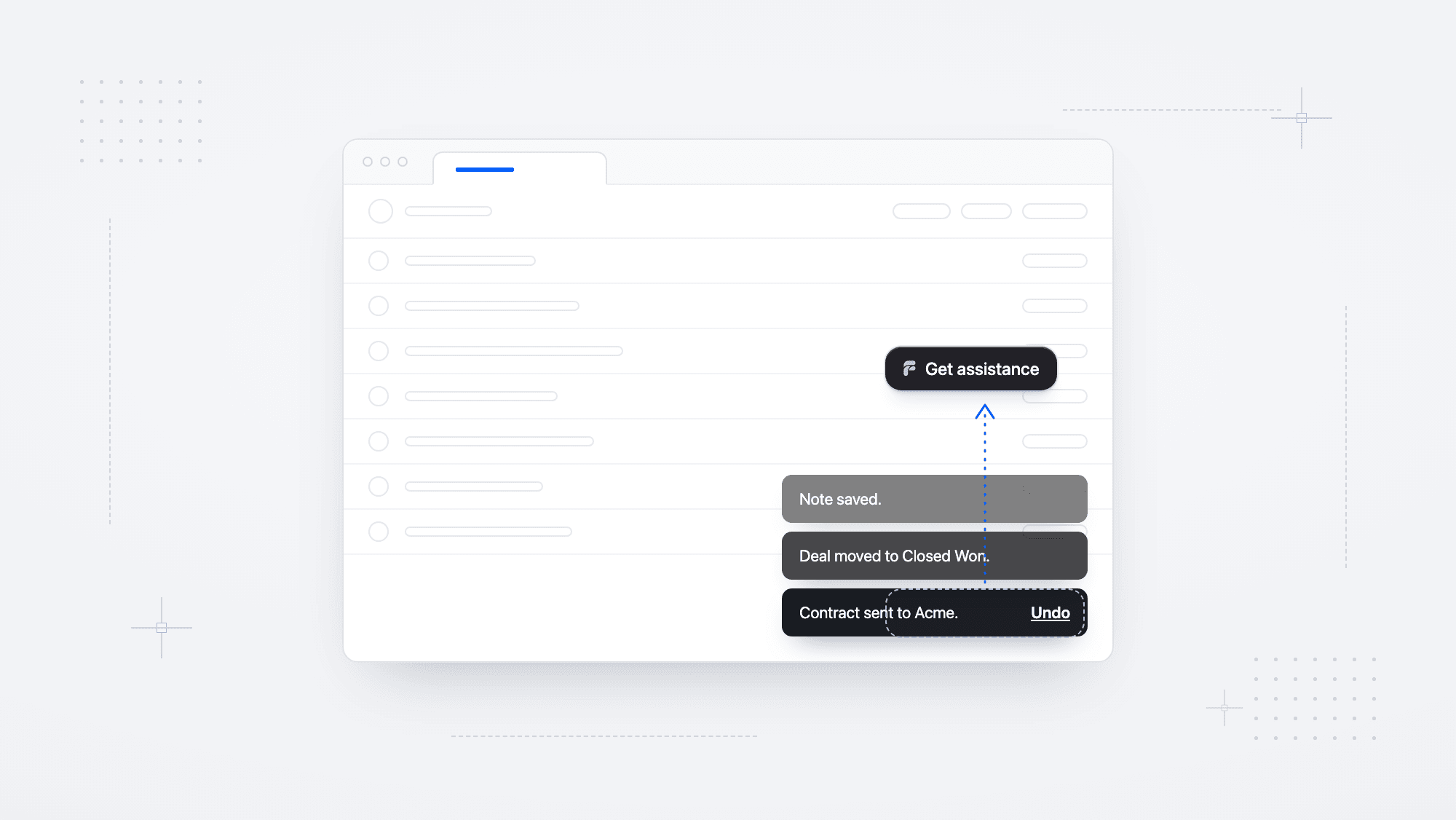
It is the last day of the quarter and the Acme renewal is the only deal left to close. You hit Send contract and a toast pops up: "Contract sent to Acme. Undo." Then you notice it was the old draft, with last year's pricing. The Undo link sits right under the assistant in the corner, and by the time you drag it out of the way, the toast is gone.
The assistant did not break anything. It just sat on the only button that could save the deal.
Help that gets in the way
Modern software talks back to you all day. Save a record and a toast confirms it. Open a contact and a drawer slides in from the side. Delete a deal and a dialog asks if you are sure.
Chat assistants and support widgets live in those same corners. We have all hit one sitting right on top of the button we needed, with no way to move it, so the only way past is to close the chat or wait it out.
That is a design failure, and an easy one to make. A widget that claims a corner of the screen asks the team behind the product to work around it: move their toasts, pad their drawers, and redesign their own application around someone else's chat integration. Every pixel belongs to the product and to the person using it, and when the two collide, their UI should win.
Help that stays out of the way
A good wedding photographer is at every big moment and in none of the photos. They step out of the aisle when the couple walks down it, and they are right there when someone wants a picture. An assistant should work the same way, showing up when someone asks and staying out of the way of everything else on the screen.
Toasts and drawers needed the same courtesy everywhere. Three simpler answers came up first:
- Putting the assistant under everything means a toast covers the assistant, which is fine for a toast. A drawer can stay open for most of a session, though, and the assistant is gone the whole time.
- Asking people to drag it works once. The assistant already lets you put it anywhere, but a toast shows up every time you save, and rearranging your screen fifty times a day is a chore nobody signed up for.
- Pinning it to a fixed corner breaks as soon as the screen changes several things at once, like a keyboard opening on mobile while a toast is still up.
So how do you get the assistant out of the way without asking users to move it, or asking the product team to redesign around it?
When more than one thing shows up
The assistant already knew how to step around one thing. On mobile it sits above the bottom navigation bar, and in guides it slides off the button it is pointing at. Real products pile things up, though. Three toasts stack while a drawer is open and a cookie banner runs along the bottom, and stepping around one of them usually puts the assistant on top of the next.
To solve this, we started by building ourselves a fake product page with every gotcha we could think of: toasts stacking in either corner, drawers sliding in, and modals dimming the whole screen.
Try it for yourself below.
We ran every case on that page until the assistant stopped landing in the wrong place. Each time it failed, we wrote down why, and those notes became the rules for how it moves.
The solution
The Frigade Assistant can tell what is underneath it. When a toast, drawer, or dialog lands where it sits, it steps aside and goes home once it closes.
An assistant that moves on its own can feel twitchy. If it jumps every time the page changes, that is worse than sitting on a toast. So we made every move intentional. The assistant only moves when your UI needs the space, and it always has a clear reason:
- Take the shortest way clear. The smallest move is the one that reads as a decision.
- Move with your UI. When a toast slides up, the assistant rises with it. When a drawer slides in from the right, the assistant slides left ahead of it. It follows the motion already on the screen instead of adding a new one.
- Clear groups in one smooth move. Because it moves with your UI, a stack of three toasts reads as one motion. The assistant rises above the whole stack, never dodges one thing into another, and lands somewhere it can stay.
- Stay put when there is nowhere better. If no spot clears everything, the assistant stays where it is. Your user can always drag it somewhere better.
- Respect where the user is looking. A dialog that dims the whole page has their full attention, so the assistant does not move for it. Smaller dialogs get cleared like anything else.
- Always respect the user. Once someone drags the assistant somewhere, it stays there. During a guide, the guide decides where the assistant sits, so it does not dodge toasts until the guide is done.
None of this needs setup on your side. There are no selectors to list and no events to fire when a drawer opens. The assistant works from what is rendered, so there is nothing to add to your markup. Browser tests check where the assistant ends up, and that nothing moves when the feature is off.
No more missed Undos
Let's run it back. It is the last day of the quarter and the Acme renewal is the only deal left to close. You hit Send contract and a toast pops up: "Contract sent to Acme. Undo." Then you notice it was the old draft, with last year's pricing. This time the assistant rises out of the way, you hit Undo before the toast is gone, and the assistant drifts back to its corner.
You never have to think about the assistant, and you get your Undo.
The AI agent that learns your product and teaches your users.
Frigade is an AI assistant that lives inside your product. Book a demo and we'll show you how it works on your actual app, not a generic walkthrough.